Redline Strategy
Commercial lease client update: a template that makes the next decision clear
By CRE Redline··5 min read
Build a useful lease update with the source clause, changed business term, decision needed and responsible person. Includes a fictional example and free builder.
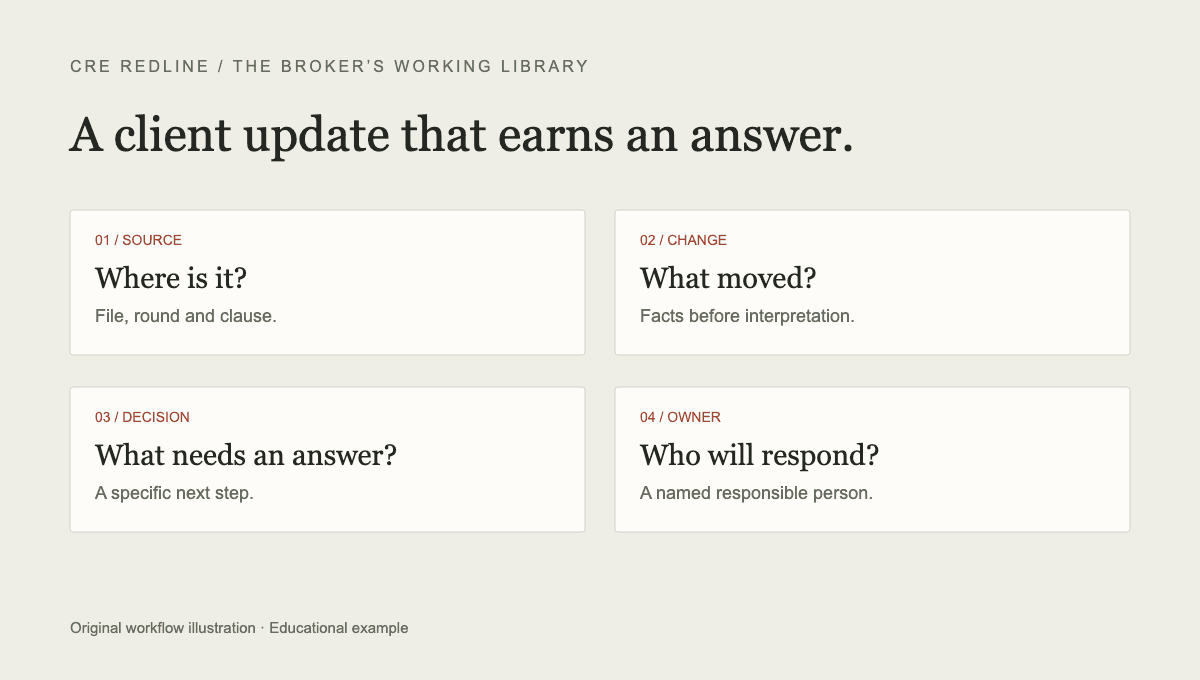
A useful lease update tells the client what changed, what needs a decision, and who will take the next step. A summary of every edit can bury those answers. A one-line message saying “please review the attached redline” leaves the client to reconstruct the business discussion.
Use the format below after checking the returned document. It works for a tenant broker reporting to an occupier and a landlord broker reporting to an owner. The format is an original workflow template, not a legal form or a claim about customary lease terms.
Start with the document you actually reviewed
Identify the deal, the round and the exact source filename. If you received more than one attachment, distinguish the marked copy, clean copy and exhibits. A date in a filename is helpful but does not prove which version the parties intend to use.
Record whether your review covered tracked edits, a comparison between two clean versions, or the entire execution set. These are different tasks. A review of new edits alone should not be described as a complete legal review of the lease.
The Microsoft Word comparison guide explains how to compare an original and revised document. If the file has no visible marks, establish what you are comparing before describing a term as new.
Give each point four fields
- Source: the document, section and relevant exhibit. Include the actual wording when a short phrase explains the issue.
- Change or current position: what is different, or what remains unanswered. Separate a confirmed edit from your interpretation of its effect.
- Decision or next step: the business question the client can answer, or the specific question to take to counsel.
- Responsible person: who needs to respond. Add an actual deadline only when one has been established.
The person responsible for obtaining an answer is not necessarily authorized to make the decision. For example, the broker may collect construction information while the owner decides the allowance and counsel confirms the work-letter language.
A worked allowance example
This example is fictional. Assume the returned draft changes an improvement allowance from $45 per rentable square foot to $30 per rentable square foot. The narrow confirmed fact is a $15-per-square-foot reduction in the stated allowance. It does not establish when the money is paid, which costs qualify, or whether another paragraph modifies the obligation.
A tenant-side update could read: “The returned draft shows a $30/SF improvement allowance, down from $45/SF in the previous version. Please confirm whether you want us to request the original amount or discuss another figure. We will also confirm the work-letter conditions with counsel.”
A landlord-side update could read: “The returned draft shows a $30/SF improvement allowance. Please confirm whether this reflects the offer you want to make or whether there is room to move. We will reconcile the amount and payment conditions with the work letter before returning the next draft.”
These drafts ask for a decision without claiming it has already been made. The broker should verify the origin of the edit rather than assume that the named sender personally authorized it. Read the allowance and work-letter checklist when the amount is only part of the question.
Separate three kinds of status
Use needs a decision when the business position is open. Use waiting for a response when a question or proposal has been sent and no answer has been confirmed. Use confirmed resolved only after verifying the response and the relevant wording.
An issue does not become resolved simply because the next draft repeats the same language. Nor does the absence of new marks prove that an earlier request was accepted. Keep the issue in the negotiation log until its disposition is established.
If one clause has two separate questions, split them. An agreed dollar allowance and an unresolved reimbursement deadline can have different statuses and different decision owners.
Check the update before sending
Read the update against the source one last time. Confirm the units, round number and any quoted wording. Remove a suggested response that the client has not approved, or clearly present it as a proposed next step. Check that attachments match the document named in the update.
Keep legal questions explicit. “Counsel to confirm assignment language” is more useful than presenting an unverified legal conclusion as settled. A concise client update can point to a detailed issue log without reproducing every clause.
Use the free builder
The lease client update builder formats your notes into these status groups. It starts with a fictional example, supports either side of the transaction, and lets you copy or download the result as text. It does not read the lease or send the email. Entries clear when you leave or reload, so download your draft first.
In the full CRE Redline workflow, reviewed changes become tracked issues, which can be used to prepare a client update. Check and edit that draft before sending. This guide is educational business-workflow support; counsel should review legal implications and final lease language.
Put your next round through it
CRE Redline reads every tracked change out of the Word file itself, explains what each one does in plain English, and keeps a running list of what is still open. Round 1 of every deal is free, no card required.
Analyze your first round freeKeep reading
This article is general information, not legal advice. Review lease language with qualified counsel. See our editorial standards and corrections process.