Redline Strategy
Word Compare vs. lease review software: what does a broker actually need?
By CRE Redline··5 min read
Use Word for a document comparison; evaluate a lease workflow when you need explanations, an issue history and client responses. A practical buying checklist.
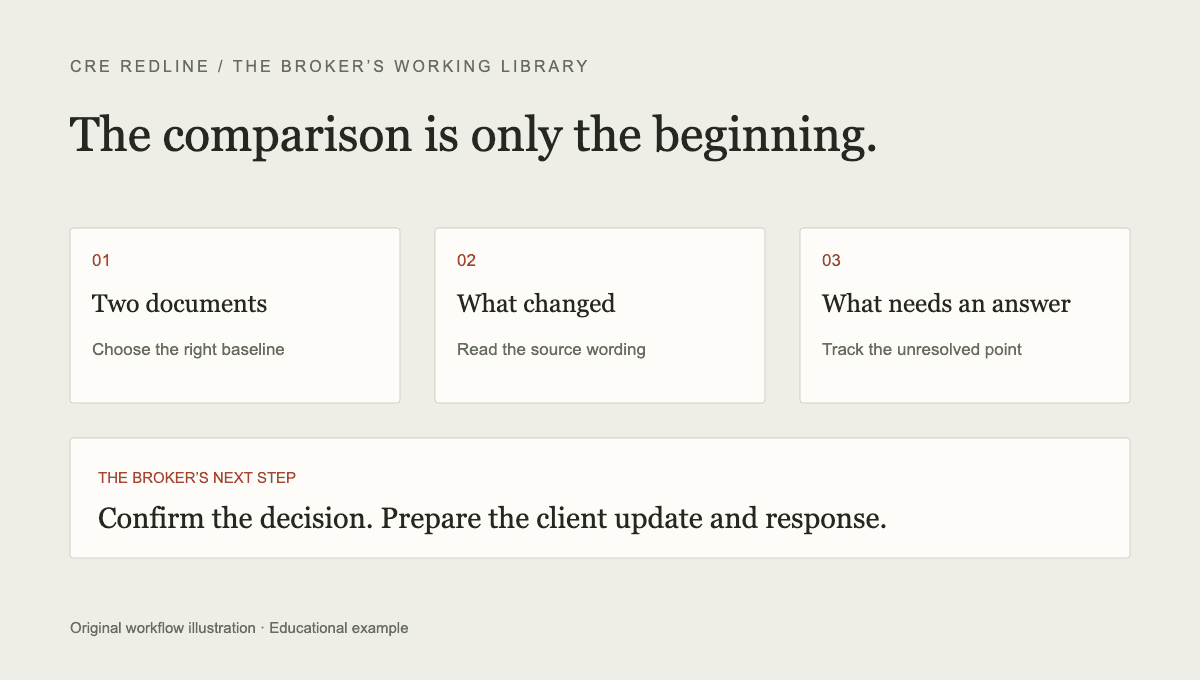
If the task is simply to identify differences between two Word documents, start by considering Word’s own comparison feature. Buying another product only makes sense if it improves the work around that comparison: verifying the meaning of edits, keeping track of outstanding points and preparing a response.
This is a workflow comparison, not an independent review of every software vendor. CRE Redline publishes this guide and offers the paid workflow described below. Features and limits were checked against the product implementation on September 22, 2026; prices and availability can change.
What Word Compare does
Microsoft’s legal blackline documentation describes choosing an original and a revised document and displaying their differences. With the default output setting, the result is a separate document and the source documents are preserved. Changing the output setting can instead modify the selected source.
That makes comparison a useful starting point when the other side sends a clean file. Choose the intended versions, inspect the comparison settings and check that the full set of documents is present. Comparing the wrong baseline produces a precise answer to the wrong question.
When the returned file already contains tracked changes, first inspect the marks and authors. A file can carry earlier changes as well as newly introduced edits. The existence of a mark does not by itself tell you which round first introduced it.
The work that follows a comparison
A difference list answers what is different between the selected documents. The broker still has to connect that list to the negotiation: which point the client needs to decide, what was proposed last time, who is waiting for an answer and which wording counsel needs to review.
You can manage that work with Word, email and a spreadsheet. A dedicated workflow becomes interesting when maintaining the record and preparing updates repeatedly costs more effort than using the extra system. The relevant test is your complete task, including setup and corrections.
The issue-log guide gives a manual starting point. Use it before assuming that a software subscription is the only solution.
What CRE Redline adds
CRE Redline extracts Word revision marks in code. When a suitable earlier version is available, it can also produce a comparison from clean documents. AI interprets the extracted changes; it does not determine the original revision marks.
A reviewed change can become a tracked issue with notes and round history. Repeated marks and edits attributed to your identified authors are set aside from the new review queue. They remain available for inspection. The broker can prepare a client update from tracked issues and export chosen counter language as Word tracked changes.
Supported numeric LOI terms can be entered and checked against the lease. Uploading an LOI document alone does not populate those fields. A match is limited to the checked term; it is not a statement that the entire lease follows the LOI.
What it does not replace
An explanation can be incomplete or wrong. A clause may depend on a definition, exception or exhibit elsewhere in the lease. Review the source and relevant context rather than treating an interpretation or priority rating as permission to skip the rest.
The product does not provide legal advice, negotiate automatically or confirm that the parties agreed. The broker chooses the business position and counsel reviews legal language. A Word export remains a document to check, not a final approved counter.
PDFs are supported for abstracts, not as Word tracked-change inputs. A single clean document has no comparison history by itself. Scanned documents may need text extraction before meaningful review is possible.
Test the full task on one negotiation
Use a representative document rather than the shortest or cleanest file you have. Record the time needed to organize the source files, inspect the changes, correct summaries, create the issue list and prepare the client response. Count correction time as work, not as a separate exception.
For each output, ask whether another person can trace the conclusion back to the clause. Deliberately test an unresolved issue that appears unchanged in the next round. It should remain distinguishable from a point that was actually settled.
Then ask whether the resulting update is clearer than the one you would otherwise send. A faster draft that takes longer to verify is not necessarily a gain. Keep evidence of the steps that improved and the steps that did not.
Choose the smallest workflow that does the job
For one comparison, Word may be enough. For a negotiation with recurring drafts, unresolved issues and repeated client updates, test the value of a persistent deal record. For legal interpretation, involve counsel in either workflow.
CRE Redline’s first-round review is free for a returned Word file with tracked changes. Later rounds, clean baselines and exports require a paid plan. The signed-in two-round sample lets you explore those steps before paying. See the current plans, simple product example and AI output verification checklist.
Put your next round through it
CRE Redline reads every tracked change out of the Word file itself, explains what each one does in plain English, and keeps a running list of what is still open. Round 1 of every deal is free, no card required.
Analyze your first round freeKeep reading
This article is general information, not legal advice. Review lease language with qualified counsel. See our editorial standards and corrections process.